
Google Pixel Gets Huge December 2025 Android 16 Update
✅ What’s the Update
- This month, Google released a major update — Android 16 QPR2 + December 2025 security patch — rolling out to all supported Pixel models from Pixel 6 up to Pixel 10 (including Fold, Tablet, etc.).
- The update isn’t just security fixes. It brings new features, UI tweaks, bug fixes, system stability improvements, and performance enhancements.
Smarter Notifications & AI Tools
- A new AI‑powered “notification summary” condenses long texts or group chats into bite-sized summaries — useful if you’re bombarded by WhatsApp/Telegram/SMSes.
- Notification Organizer: lower‑priority alerts (promo spam, social updates, etc.) are grouped or silenced to reduce distraction.
• UI & Customization Improvements
- Custom icon shapes and themed icons for a unified look on the home screen.
- Expanded dark theme: apps without native dark mode now obey system-wide dark mode, helping eyes and battery.
- Improved lock‑screen widgets / UI polish: smoother animations, refined quick‑settings & notification shade, better responsiveness.
• System Stability, Bug Fixes & Security
- Fixes for many issues: battery‑icon glitch (blank or “?” charge status), charging‑related bugs, display problems (freezing, flickering especially on Pixel 10 series / foldable displays).
- Audio, Bluetooth, Wi-Fi, camera stability, fingerprint sensor, and touchscreen gesture‑navigation bugs addressed across many models.
- 2025‑12 security patch: dozens of security patches, including fixes for high‑severity vulnerabilities.
Which Pixel Devices Get the Update
Eligible devices include:
- Pixel 6 / 6 Pro / 6a
- Pixel 7 / 7 Pro / 7a
- Pixel 8 / 8 Pro / 8a
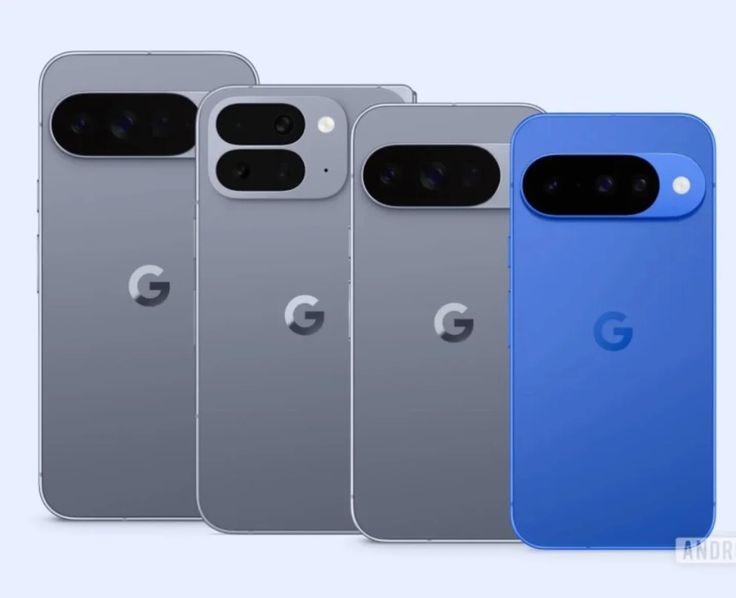
- Pixel 9 / 9 Pro / 9 Pro XL / 9 Pro Fold / 9a
- Pixel 10, Pixel 10 Pro / Pro XL / Pro Fold
- Pixel Fold and Pixel Tablet as well.
If you own any of those, you should get a notification soon — or you can check manually via Settings → System → Software update.
📉 What This Means for You
- More Stable & Reliable Device — If you’ve experienced bugs (freezing, graphics glitches, display flicker, charging issues), this update aims to fix many of them.
- Cleaner, Smarter UI & Notifications — Useful for heavy users, students, professionals who manage many chats & apps.
- Better Security — Critical vulnerabilities patched, so your Pixel is safer from malware or attacks.
- Extended Support for Pixel Lineup — Reinforces Google’s commitment to keeping even slightly older Pixel phones (6, 7 series) up to date.
What to Do Now
- Go to Settings → System → Software update to check manually if update isn’t showing yet.
- Back up your important data — though OTA updates are generally safe, backups are always wise.
- After update, explore:
- New notification summary / organizer
- Icon shape/theme options
- Dark mode for all apps
- Check battery icon, screen stability, performance
- If you see new bugs — note them. Pixel community tends to get quick follow‑up patches.